AI Menu Import
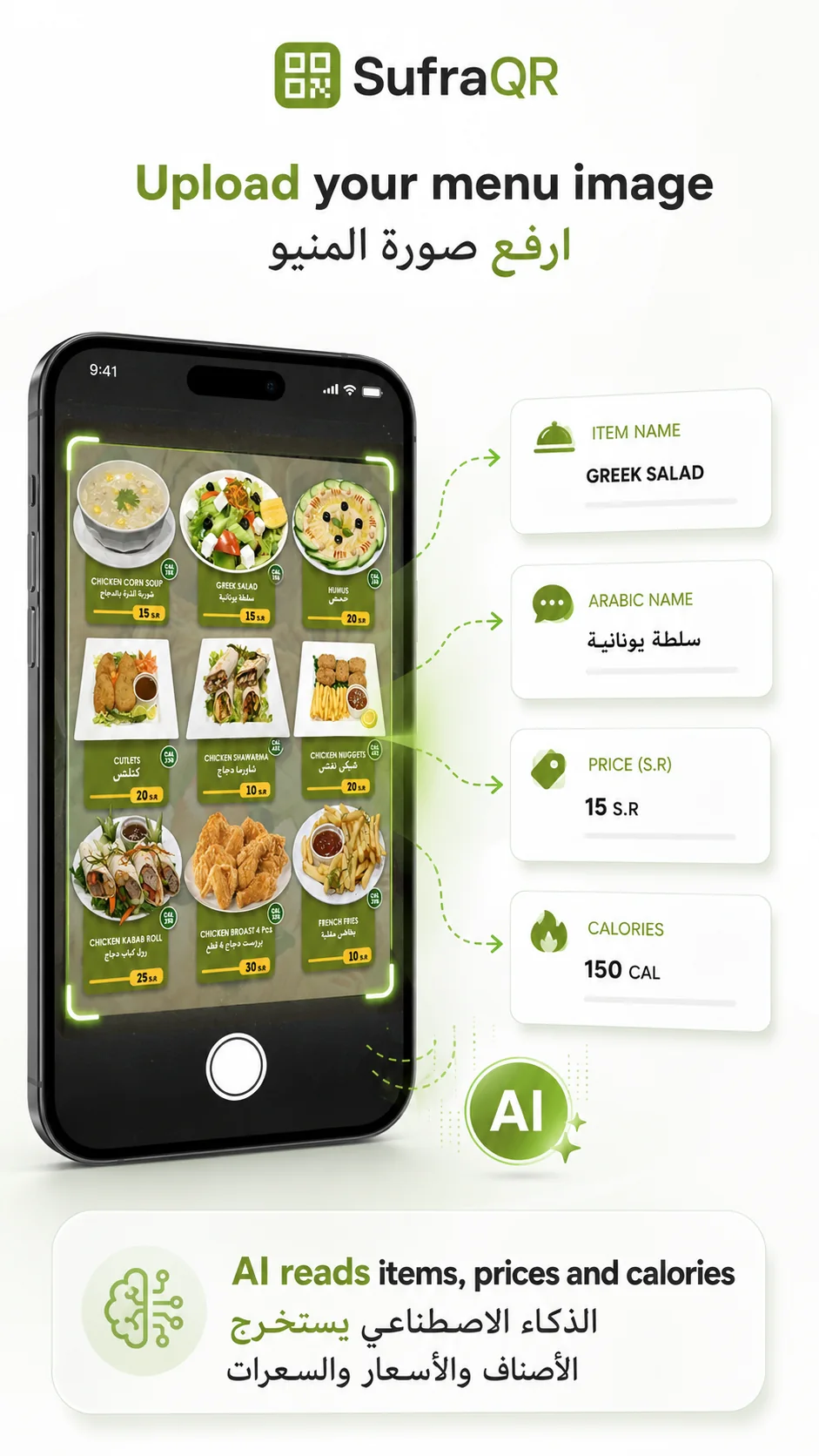
Upload a menu photo and let AI create a digital menu draft with products, prices and categories.
 SufraQR
Turn your menu into a smart ordering experience. Customers can browse, ask AI what to order and send table orders from their phones — while SufraQR helps you understand your restaurant with AI-powered insights.
✓ No credit card required · Setup in minutes · Arabic, English & Turkish
From AI-assisted ordering to live restaurant operations and merchant insights — see the real product workflow.
From creating your menu to helping customers order and understanding your restaurant, SufraQR brings the workflow together.
Upload a menu photo and let AI create a digital menu draft with products, prices and categories.
Customers can describe what they want in natural language and get suggestions based on your current menu and prices.
“Recommend an order for 2 people with a main dish and drinks.”
See daily summaries, sales insights and useful recommendations without digging through reports.
Instead of scrolling through dozens of items, guests can simply tell the assistant what they want — number of people, budget, drinks, dessert or another option. Suggestions are based on your current menu and prices.
Suggestions use your current menu products and prices.
Chicken Kabsa received more orders during dinner hours.
Dessert category had fewer orders than usual today.
Consider highlighting Sütlaç in the menu.
AI analyzes · You review · You decide
SufraQR doesn't stop when the order arrives. Merchant AI helps you understand what is happening across your restaurant with daily summaries, sales insights, alerts and controlled recommendations.
Each part of SufraQR works together without replacing the restaurant's existing payment setup.
Upload your menu photo and create a digital menu draft.
Guests browse the QR menu or ask AI what to order.
Table orders arrive instantly in the merchant panel.
AI summaries and insights help you understand what is happening.
Take a photo of your paper menu, menu board or printed menu. SufraQR creates a digital draft with product names, prices and categories so you can review and publish quickly.
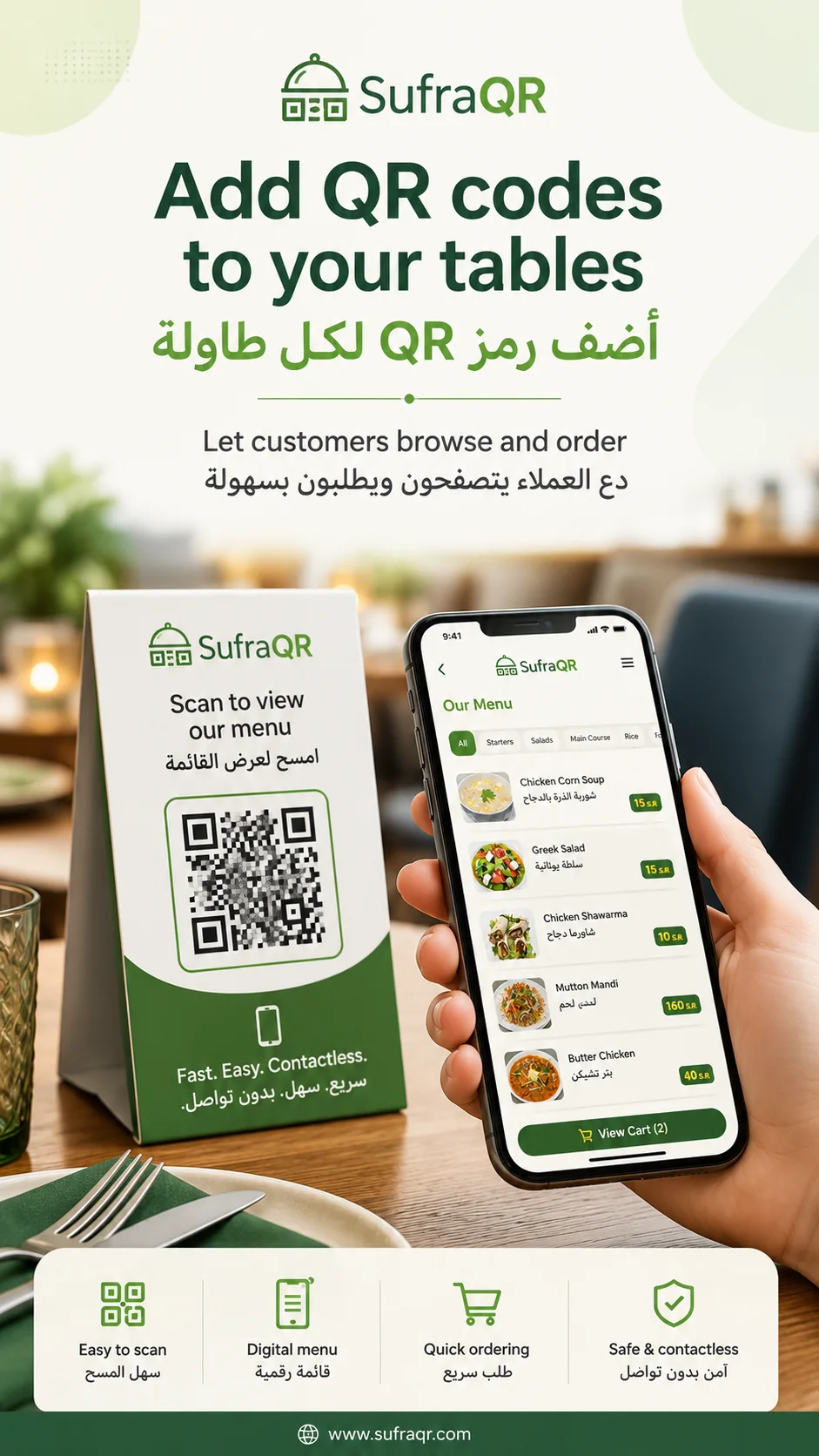
Give each table its own QR code. When the customer orders, the merchant panel shows the table number, items and order status.
New orders appear instantly with pending, preparing and completed statuses.
Audio notification helps staff notice new orders quickly.
Turn ordering on or off based on restaurant working hours.
English, Arabic and Turkish interface support for restaurant staff.
Keep order records based on your selected package.
Reduce repeated active orders from the same table or device.
Start with a free trial. Choose monthly or yearly plans after your restaurant is ready.
Start your digital ordering
Grow with AI insights
For larger and multi-branch operations
SufraQR only uses online payment for restaurant software subscription fees. SufraQR is not a payment intermediary for restaurant customer food orders. Customers place orders through QR and pay the restaurant directly by cash, Mada/card POS or at the counter.
Download simple materials to understand SufraQR, share it with restaurant owners, or train your staff after trial setup.
SufraQR brings multilingual QR ordering, an AI Ordering Assistant, restaurant operations and Merchant AI insights together in one platform.
No. Customer AI uses the restaurant's current available menu products and prices. It does not claim unverified ingredient or allergen knowledge.
Yes. Guests can browse the regular QR menu, choose products and order normally.
SufraQR supports Turkish, English and Arabic across its multilingual experience.
No. SufraQR can work alongside your existing cashier and card terminal; it is not presented as a full POS replacement.
Merchant AI can surface insights and controlled recommendations. You review supported actions and decide what to apply.
AI menu import can create a draft from a menu photo, and you can review and edit it before publishing.
Yes. Eligible restaurants can start with a 14-day free trial.
Launch your QR menu, let customers order with AI assistance and manage your restaurant from one platform.